01
Prompt like a director
Write the scene, camera move, atmosphere, and subject in plain language. DeeVid turns the brief into a video-ready generation path.
 DeeVidGet the app
DeeVid helps creators draft AI videos from prompts, photos, templates, and visual moods. Build cinematic shorts, playful edits, and social-ready scenes without opening a traditional editing suite.
Input
Text prompts, reference photos, and ready-to-remix ideas.
Direction
Choose the model, mood, motion, and aspect ratio before generation.
Output
Short AI clips made for social posts, ads, memes, and story edits.



Brief Room
This page is built around the DeeVid mobile experience: direct prompts, visible templates, generation choices, and fast outputs. The product is for people who want to make more clips, not manage more tools.
Write the scene, camera move, atmosphere, and subject in plain language. DeeVid turns the brief into a video-ready generation path.
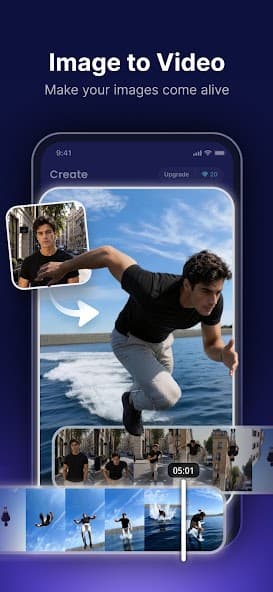
Bring portraits, product shots, travel photos, and character references into motion with image-to-video tools.
Explore model-led effects, sports edits, fantasy scenes, and quick social formats without building a timeline from scratch.
Use DeeVid for fast iterations, polished clips, and compact outputs that move from idea to feed without a long production loop.
Scene Cards
Use DeeVid as a pocket-sized creative desk for testing looks, formats, and story fragments.
Card 1
Card 2
Card 3
Release Desk
DeeVid gives creators a simple way to explore motion before committing to a bigger campaign, post, or edit. The app favors short loops, direct creative choices, and quick visual experiments.
Social reels
Vertical clips, punchy hooks, fast concept tests
Concept films
Mood pieces, characters, fantasy moments
Marketing shots
Product motion, visual variations, ad starters
Fan edits
Sports energy, playful templates, cinematic remixes
Purchases, trials, and subscriptions are processed by the Apple App Store or Google Play. Refund requests should be submitted through the store receipt or the store account where the purchase was made.
Open DeeVid, go to Profile or Settings, choose Account, and select Delete account. If you cannot access the app, email support@dee-vid.com from the address connected to your DeeVid account.
Ready when the scene is still fresh